SSH on my iPhone - easy
23 Aug 2007
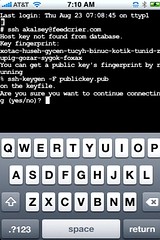 I’d been wanting to play with some of the cool iPhone hacks, but most of the tools available are for Intel Macs. For the next few months, I’m still using a G4 PowerBook, so I’d been stymied. Using Nullriver’s Installer.app, however, I’ve been able to install several apps, including a VT100 terminal and OpenSSH.
You can’t use the SSH client to do any serious work—if you switch away from the terminal app your session closes. That means if your phone rings in the midst of a session, you’re done. But for emergency use out on the road, you can’t beat an SSH client in your pocket.